How CargoMo works
One place for the office, the drivers, the partners and the customers. This page explains what happens to a shipment from booking to payment, for trucks, for air cargo, for sea freight, and for all of them together.
See what needs you. Let everyone else update themselves.
Most cargo offices run on phone calls, WhatsApp groups and spreadsheets. Nobody knows where a shipment is until someone calls. Papers get lost. Bills go out late.
CargoMo gives every shipment one record. Drivers, partners and outside systems update it from where they already work. The office sees only what needs a person, with one button to fix it. Customers open a link instead of calling.
There are three products. CargoMo Land is for trucks. CargoMo Air is for air cargo. CargoMo Water is for sea freight. Use one, two or all three.
Five kinds of people, one record
A truck shipment, from booking to payment
The steps (each company can rename them)
- 01The office books the shipment
Type it in, paste the customer's WhatsApp message, or copy an old shipment. Pick the customer, driver and truck.
CargoMo does this for you: The form fills itself from a pasted message, and warns about double bookings or a truck that is already busy.
- 02The driver says yes
The driver gets a link on WhatsApp and taps "I will do this trip".
CargoMo does this for you: If the driver has not said yes close to pickup, the shipment moves to the top of the office's list.
- 03The driver updates from the road
Picked up, On the way, Reached destination. One tap each. They can also report a delay or a trip cost with a photo of the bill.
CargoMo does this for you: Every tap updates the customer's tracking page at once.
- 04The customer follows it
The customer opens their tracking link to see where the goods are, the papers and who to call.
CargoMo does this for you: Ready-made messages (late, delivered) are written for the office to send with one tap.
- 05Delivered, with proof
The receiver signs on the driver's phone, or the driver sends a photo of the signed paper.
CargoMo does this for you: Without proof, the shipment stays on the office's list until it arrives.
- 06The bill goes out
The bill is made the moment the shipment is delivered. The office sends it on WhatsApp or email.
CargoMo does this for you: The bill has the customer's link, with UPI scan to pay for Indian companies.
- 07Getting paid
When money comes in, the office marks it paid.
CargoMo does this for you: Polite reminders at 7, 15 and 30 days late, each a bit firmer. If the customer says they have paid, reminders stop.
- 08Knowing what it made
Every shipment shows price, truck cost, trip costs and what is left.
CargoMo does this for you: Reports show on-time rates, money in and profit per customer and per transporter.
- ●Late: past the delivery date
- ●Gone quiet: no news from the driver for hours
- ●Pickup missed
- ●No truck booked and pickup is soon
- ●The driver has not said yes
- ●Delivered but no proof
- ●Bills paid late, oldest first
An air shipment, door to door
One shipment, four parts
Each part is reported by the system named under it- 01The shipment is booked
The office answers a few questions: where to pick up, which airports, the flight, where to deliver. Or a system creates it.
CargoMo does this for you: CargoMo builds the four parts: truck to the airport, the flight, the warehouse at the other end, the delivery truck, each with planned times.
- 02Updates arrive by themselves
The truck's GPS, the airline's tracking and the warehouse system send updates. Partners without a system tap on their page.
CargoMo does this for you: Each update is stored with the system it came from, so you always know who said what.
- 03Expected times move with reality
If the truck to the airport is late, everything after it moves too.
CargoMo does this for you: CargoMo works out the new expected arrival and tells you if the shipment will be late, before the customer asks.
- 04The control tower shows it all
A live map with every plane and truck, the shipments that need you first, and which sources have gone quiet.
CargoMo does this for you: Problems come first: missed flight, held at customs, no signal from a truck, not picked up, late.
- 05The customer follows it door to door
One tracking link shows all four parts and the map. No login.
CargoMo does this for you: Customs holds are explained in plain words on the customer's page.
- ●Missed flight, and the new booking
- ●Held at a warehouse, with the reason
- ●No signal from a truck for over 90 minutes
- ●Not picked up when planned
- ●Will arrive late, and by how much
- ●A data source that has gone quiet
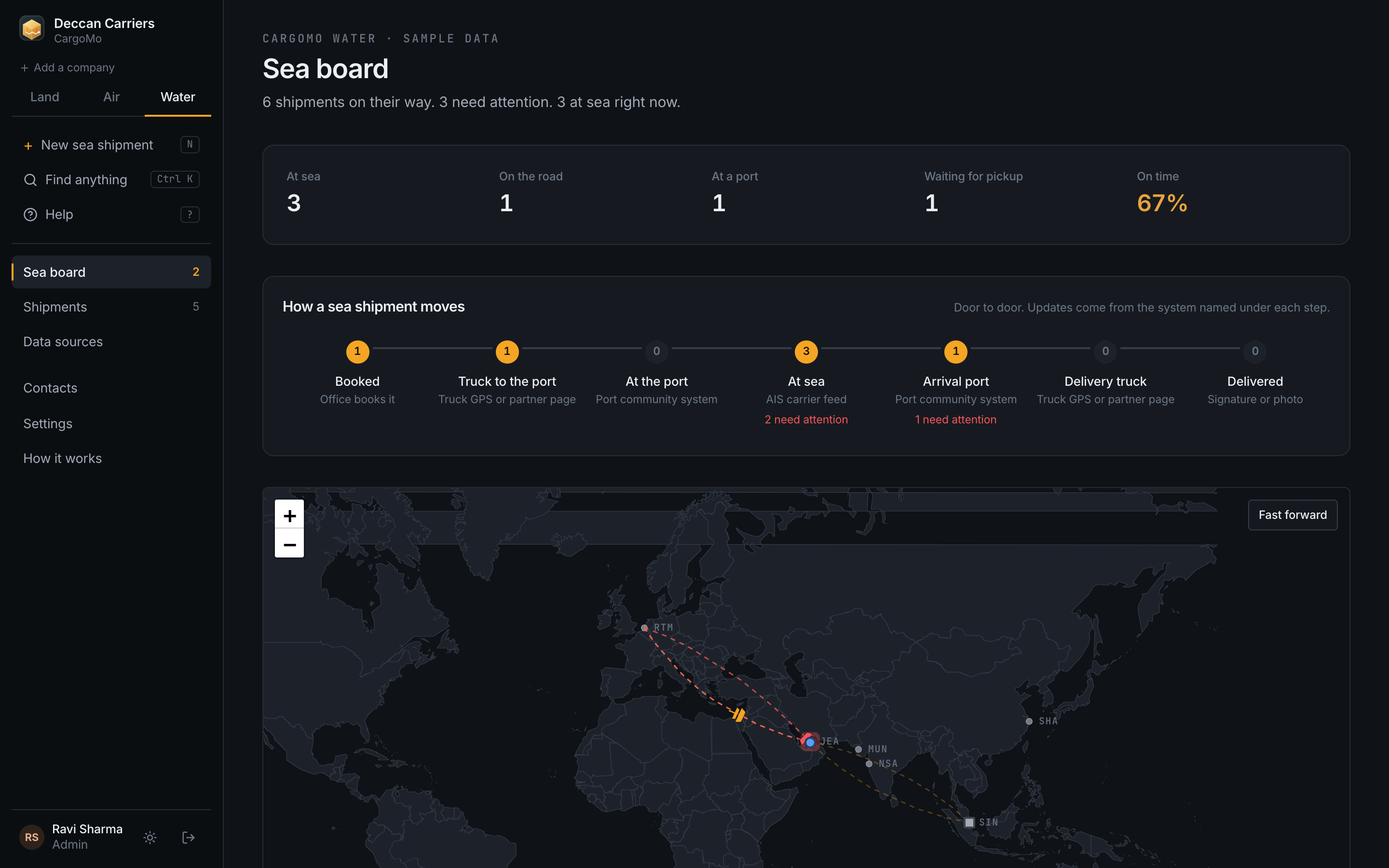
A sea shipment, from port to port
One shipment, four parts
Each part is reported by the system named under it- 01The shipment is booked
The office answers a few questions: where to pick up, which ports, the vessel and voyage, where to deliver. The Bill of Lading and container number go on the shipment.
CargoMo does this for you: CargoMo builds the four parts: truck to the port, the vessel, arrival and release at the port, the delivery truck, each with planned times.
- 02Updates arrive by themselves
The AIS feed, the port system and the truck GPS send updates. A partner without a system taps on their page.
CargoMo does this for you: AIS words like sailed and berthed move the journey the same way departed and arrived do.
- 03Expected times move with reality
If the vessel is late or waits at anchor, everything after it moves too.
CargoMo does this for you: CargoMo works out the new expected arrival and shows the reason in plain words.
- 04The sea board shows it all
A live map with every vessel and truck, the shipments that need you first, and which sources have gone quiet.
CargoMo does this for you: Problems come first: missed sailing, held at a port, no AIS position, not picked up, late.
- 05The customer follows it door to door
One tracking link shows all four parts and the map. No login.
CargoMo does this for you: The customer sees the expected arrival and who to call. Your name and colours are on the page.
- ●Missed sailing, and the new booking
- ●Held at a port, with the reason
- ●No AIS position for over 90 minutes
- ●Not picked up when planned
- ●Will arrive late, and by how much
- ●A data source that has gone quiet
Land and Air share the truck parts
Every air shipment starts and ends on a truck. With both products, those truck parts can run in CargoMo Land with your own drivers.
Water works next to them with the same idea: one board, one live map, the same customer and partner links. Sea updates come from AIS feeds and port systems, so the three products do not get in the way of one another.
| 1 | TRUCK TO THE AIRPORT | RUNS IN CARGOMO LAND |
| 2 | FLIGHT | CARGOMO AIR, AIRLINE TRACKING |
| 3 | ARRIVAL WAREHOUSE | CARGOMO AIR, WAREHOUSE SYSTEM |
| 4 | DELIVERY TRUCK | RUNS IN CARGOMO LAND |
- 01One click on the air shipment
On a truck part, press "Run this truck part in CargoMo Land".
CargoMo does this for you: A Land trip is made with the right places, times, customer and goods, and the two are linked.
- 02Your driver does the trip as usual
The driver gets the normal driver link and taps as they go.
CargoMo does this for you: Each tap moves the air shipment too. Nobody types anything twice.
- 03One list of what needs you
The office's Today screen shows truck problems and air problems together.
CargoMo does this for you: The Land trip shows which air shipment it belongs to, and the air shipment links to the trip.
No devices to buy
Every source has its own key that can be changed at any time. A system sends one short message per event to CargoMo's update address. Your IT team or ours connects each provider once.
In the demo, the planes, vessels and warehouse updates are sample data so you can see everything move. The update address, partner pages and driver links are real.
One shipment, end to end. This is what you will see.
Here is a real trip through CargoMo Land, screen by screen. Everything below is what the office, the driver and the customer see. Nothing else to install, nobody to train.
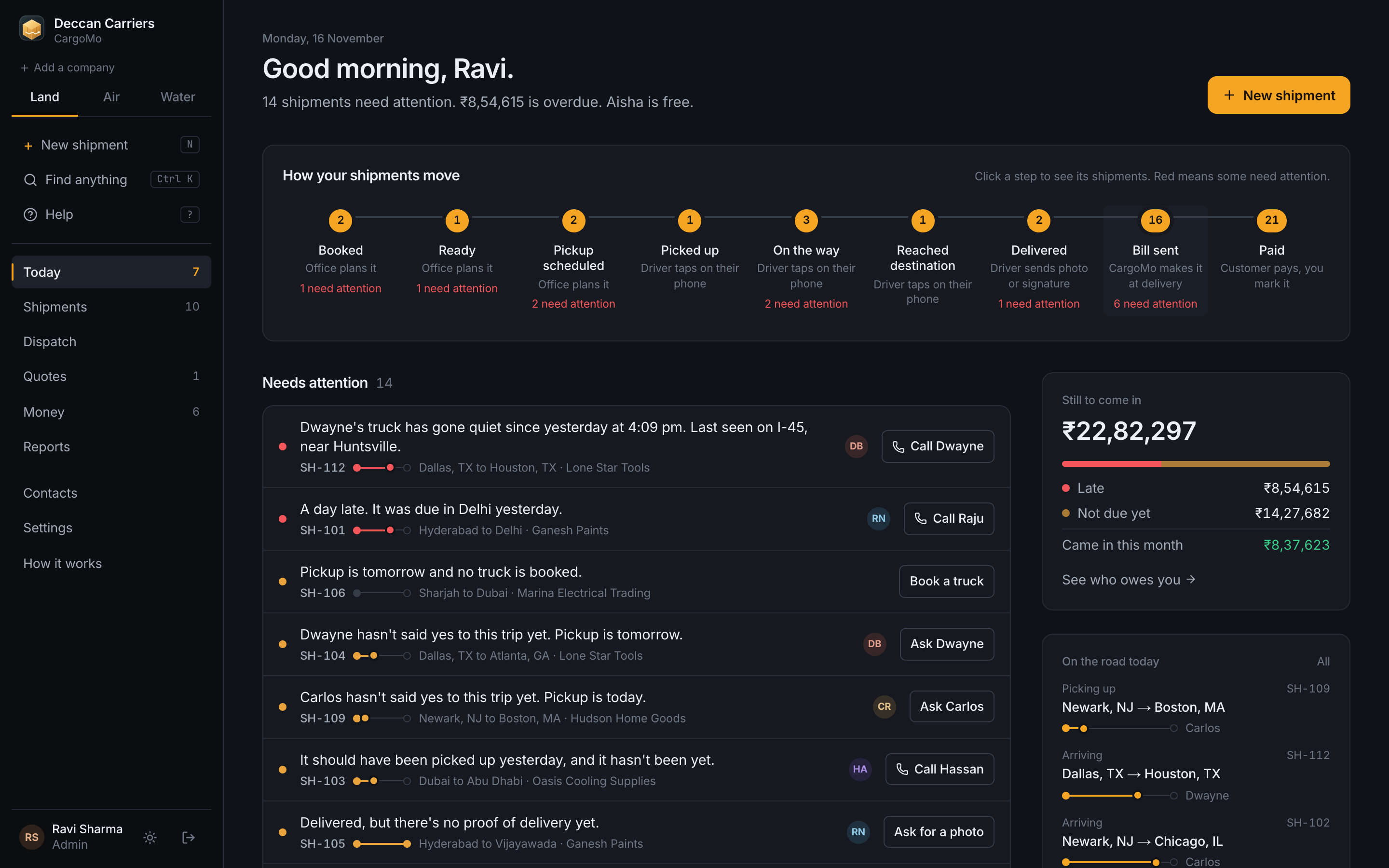
Open CargoMo in the morning
One screen shows what needs a person today: late shipments, quiet trucks, missing papers, bills to remind. Each line says what happened in plain words, with one button to fix it. It also shows the next step in the app, so new staff learn the flow as they work.
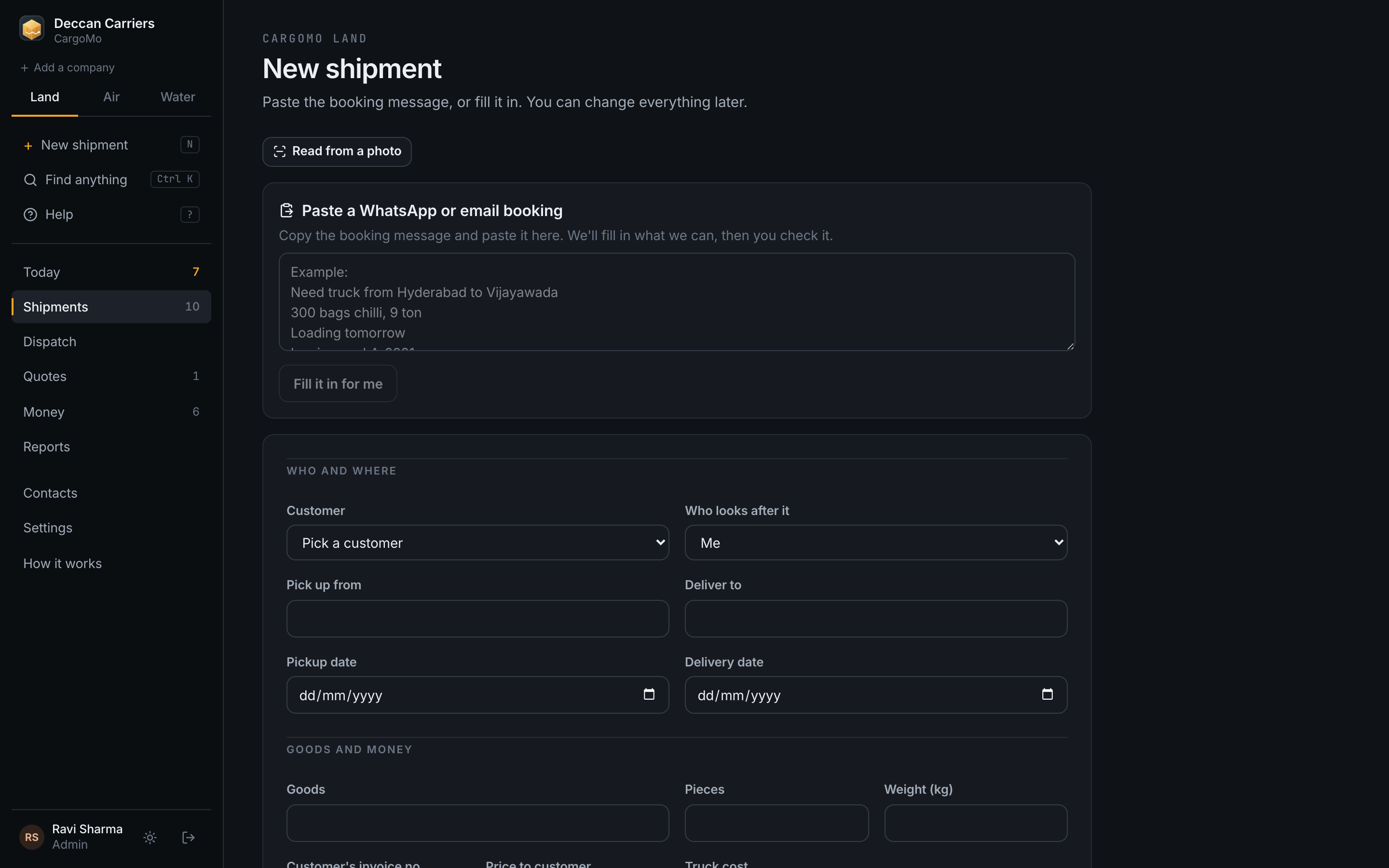
Book a shipment in half a minute
Paste the WhatsApp booking and CargoMo fills the form. Check it, add the price, and the shipment is on the board with its own tracking link.
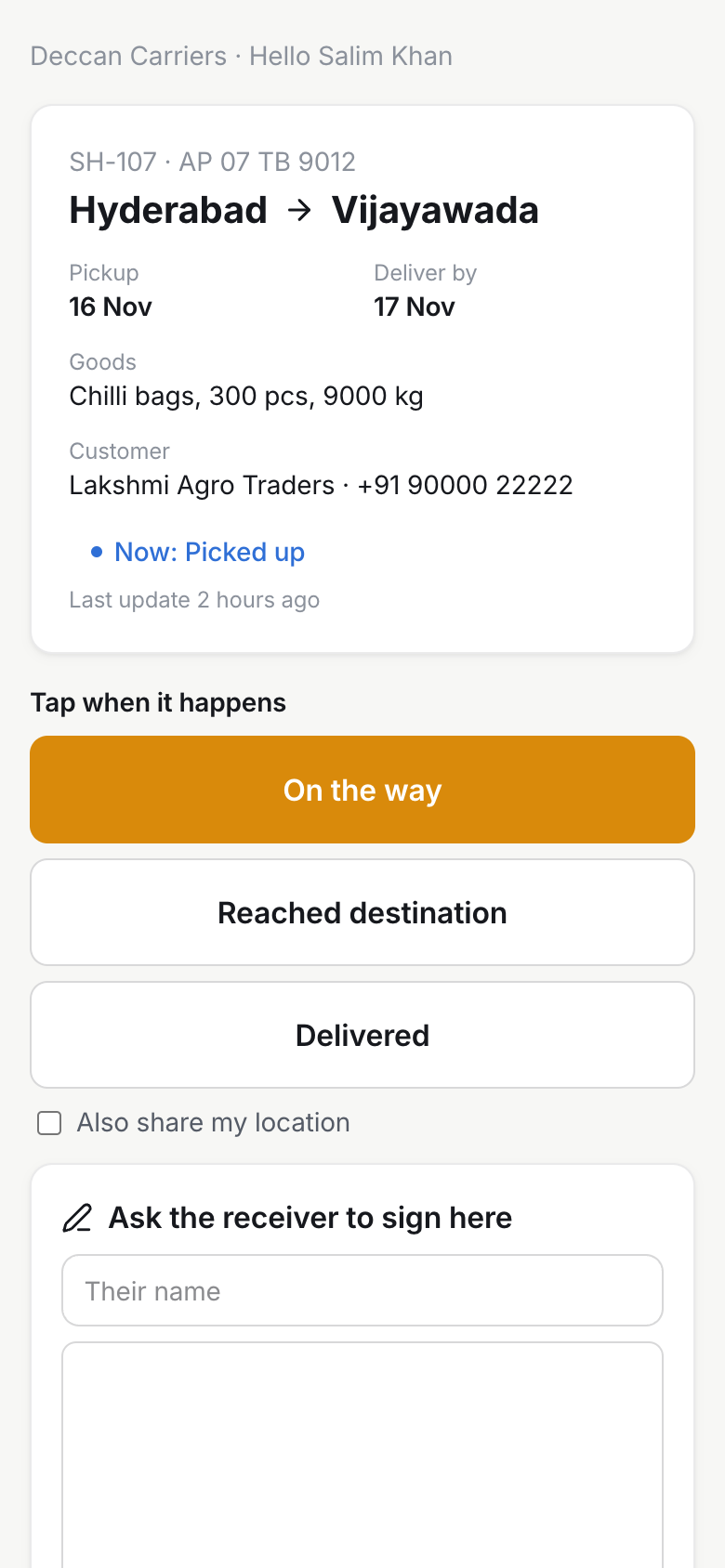
The driver updates from the phone
No app, no login. The driver gets a link on WhatsApp with three big buttons, a camera for the proof of delivery, and the trip costs. Everything appears on the office screen as it happens.
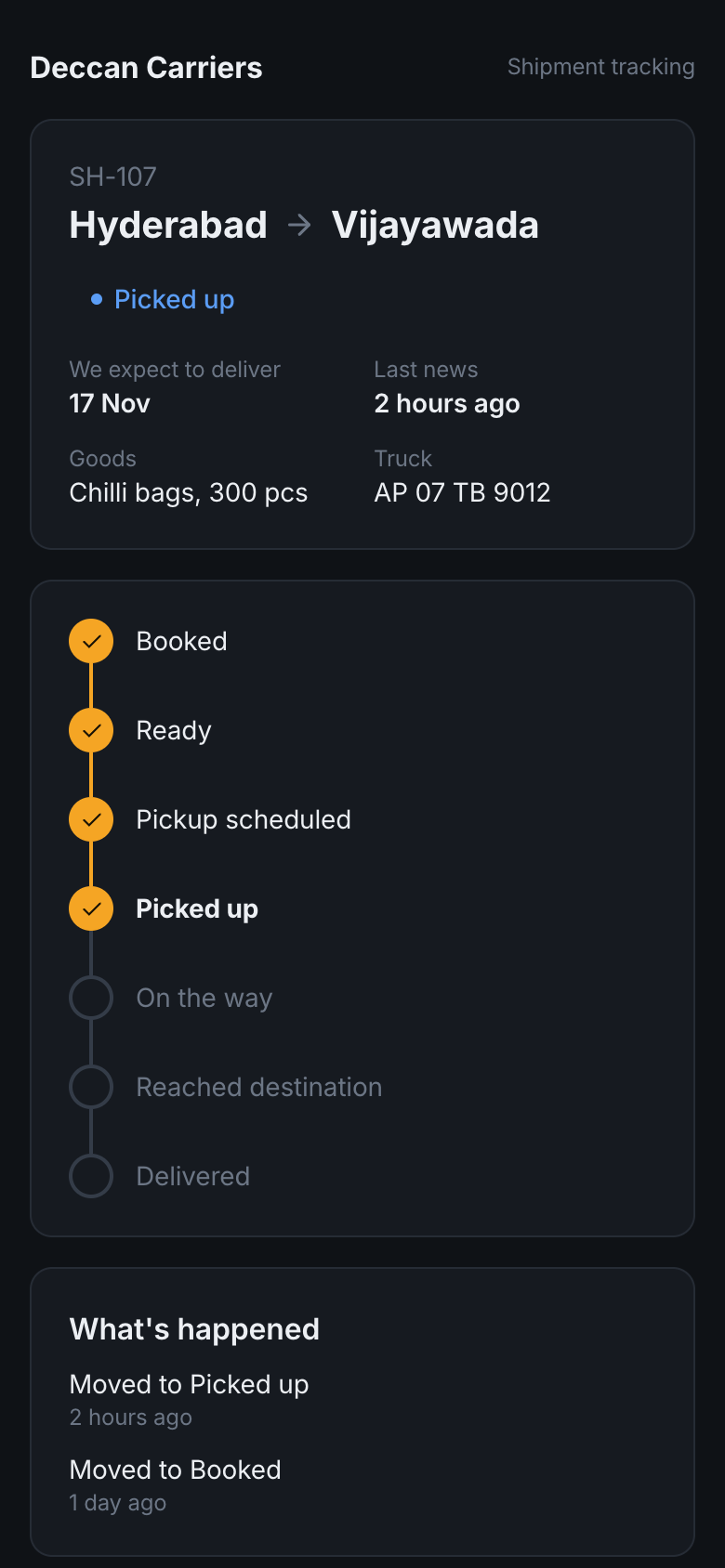
The customer watches instead of calling
The customer's own link shows where the shipment is, in your company name and colours. Most questions go away once the answer is on the screen.
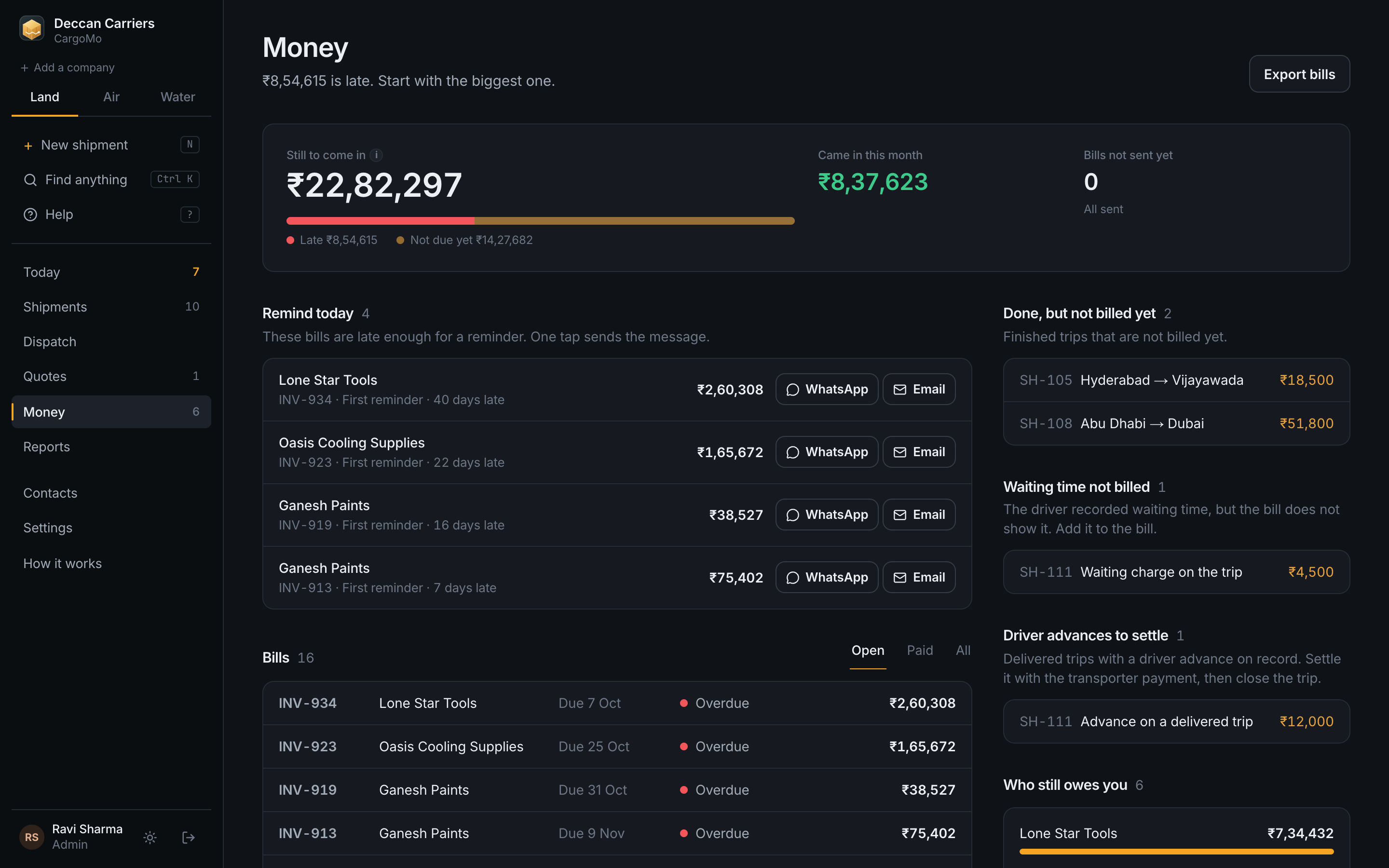
The bill goes out when the goods arrive
CargoMo makes the bill on delivery, sends it with a pay link, and sends reminders when payment is late. You see who owes you and by how much.
CargoMo Air works the same way for air cargo: one control tower for flights, warehouses and trucks, updates coming from the systems you already use, and the same plain words when something needs you.
CargoMo Water does the same for sea freight: the truck, the vessel, the port and the delivery on one board, with AIS feeds and port systems sending the updates.